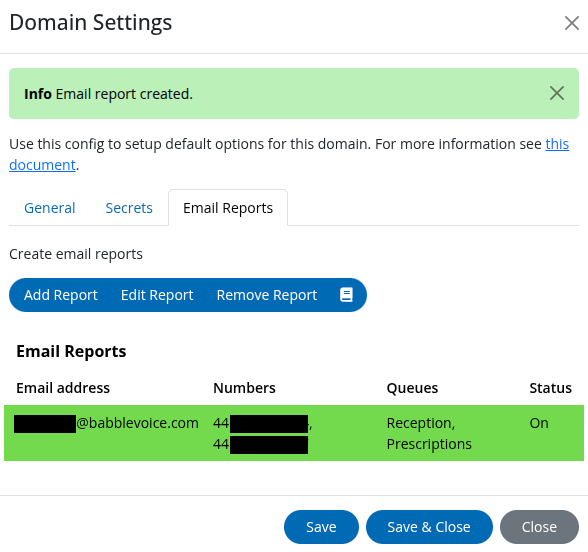

Email Reports
Our email reports allows you to setup a report, or reports, for specific queues and numbers. This report is then emailed to you every Monday morning based on the previous week's data. This allows you to, at a glance, gauge how well your teams are doing on the phones each day.
Found in your domain settings, then under the "Email Reports" tab.
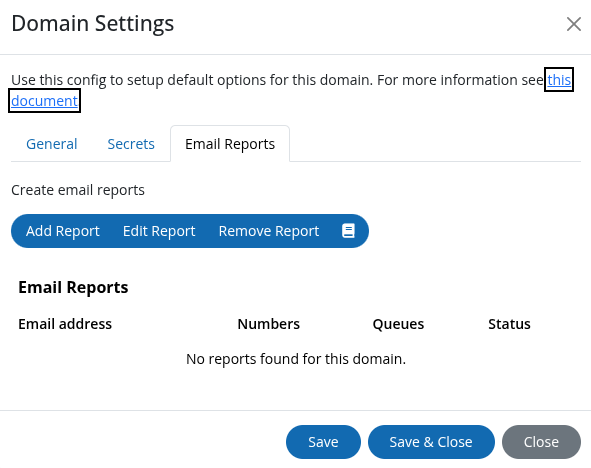
The email reports can be customised with the following details:
- User: The user the report will be sent to; this will show your email address.
- Report Status: Determines if the report is Active, e.g. an email will be sent based on this report or not.
- Numbers: Any numbers you wish to be included in the report.
- Queues: Any queues you wish to be included in the report.
- [Queue] Targets: Based on the Queues selected, you will see the below two options for each queue.
- Waiting Time: Sets the maximum waiting time you want to see. For example, if you set this to 5 minutes and 30 seconds, you will see a 'fail' in the email report for the day if a call waited for longer in that queue. You will also see how long the maximum waiting time was in the report.
- Abandon rate: Sets the percentage of abandoned calls allowed. For example, if you set this to 20%, and more than 20% of calls are abandoned, you will see a 'fail' in the email report for the day. You will also see the percentage of abandoned calls in the email report.
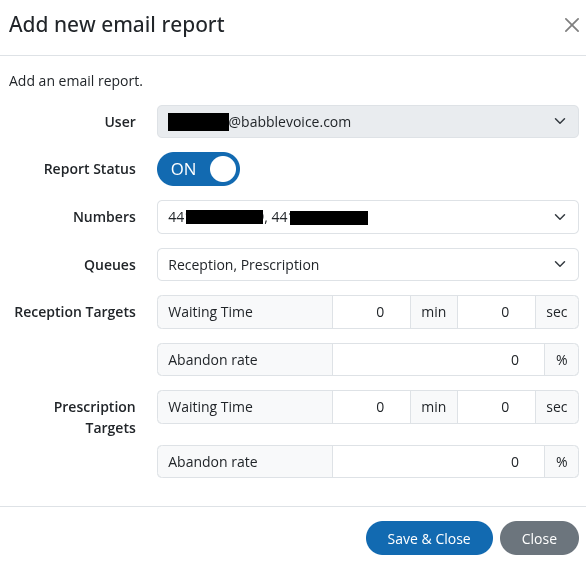
Once you have an email report configured, the domain settings "Email Reports" tab will show any reports you have setup.